October 2026 Product Update
By GeoRankers Team · Updated on October 5, 2026
Here is what we shipped last month. A smarter Recommendation Engine now groups your action items by category with the evidence behind each one, a new Sitemap AI Readiness Checker scores every page on your site for AI readability, Developer API & MCP Connect lets you bring GeoRankers data into Claude and other AI tools, Prompt Editing gives you direct control over your topics and prompts, and the entire dashboard has been overhauled for mobile and tablet use.
Recommendation Engine
What it is: A smarter recommendation system that organizes your action items by category, pulled from your last 30 days of analytics, and shows the evidence behind each one.
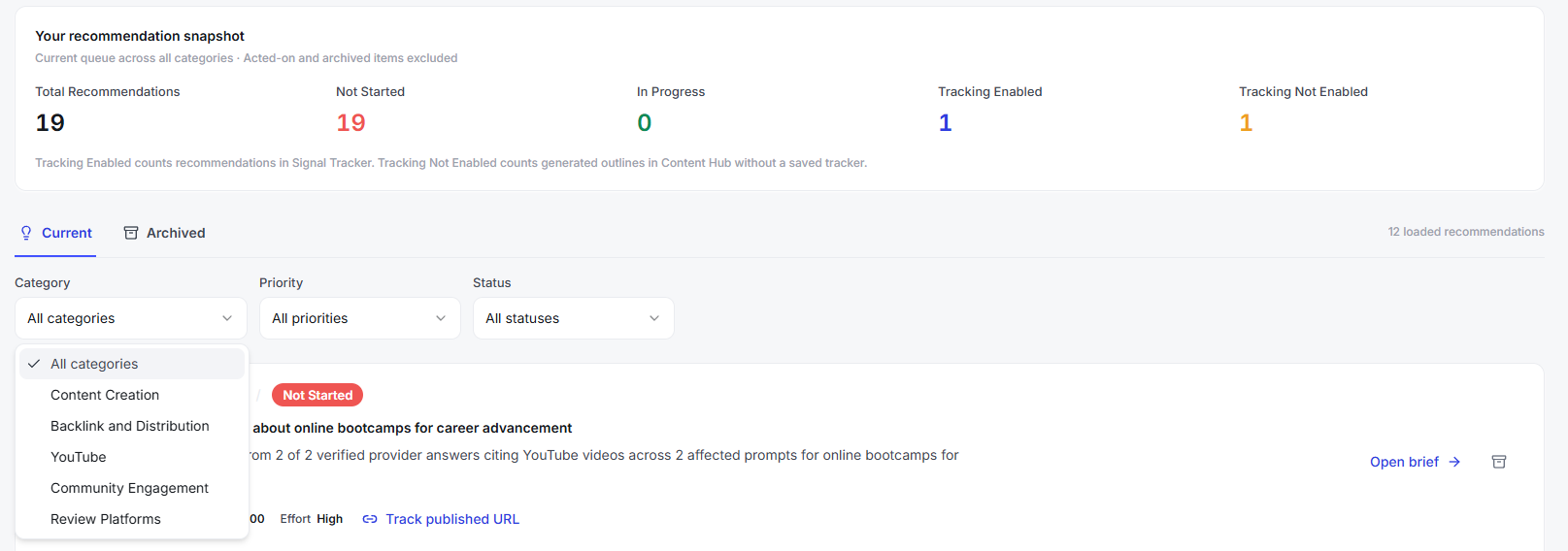
How it works: Recommendations are now grouped into five categories — Content Creation, Backlink and Distribution, YouTube, Community Engagement, and Review Platforms — based on gaps and opportunities detected across your last 30 days of analysis runs.
A new Recommendation Snapshot at the top of the page shows your progress at a glance — total recommendations, how many are not started vs. in progress, and how many have tracking enabled.
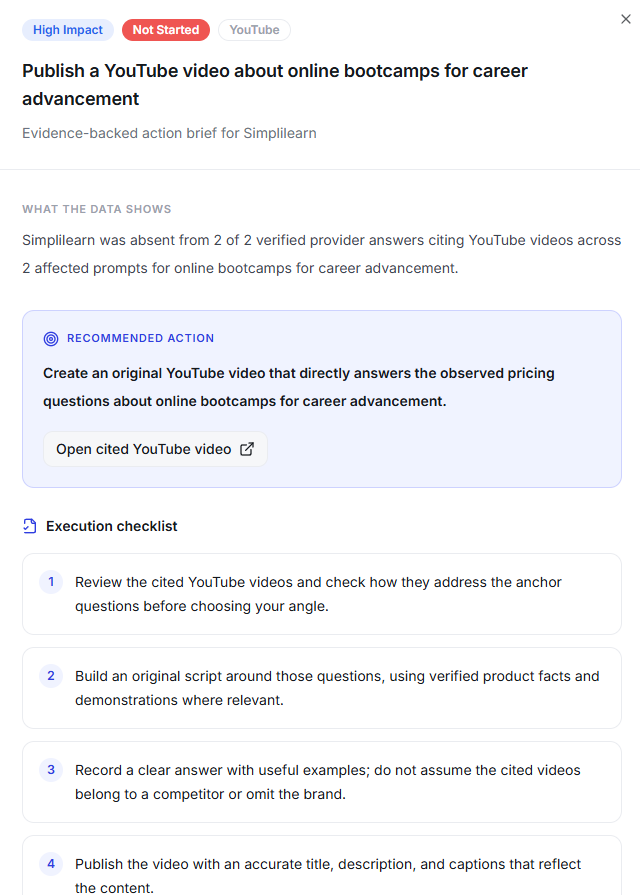
Open any recommendation and you'll see the evidence behind it: the actual AI responses, sources, and signals that triggered it, so you know exactly why it was recommended.
How to use it: Open the Recommendations tab, filter by category to focus on one type of action, click into any recommendation to see its supporting evidence, and check the Snapshot panel anytime to see where you stand.
Sitemap AI Readiness Checker
What it is: A checker that scans your entire sitemap and scores how AI-readable each page is. This is separate from the Recommendation Engine.
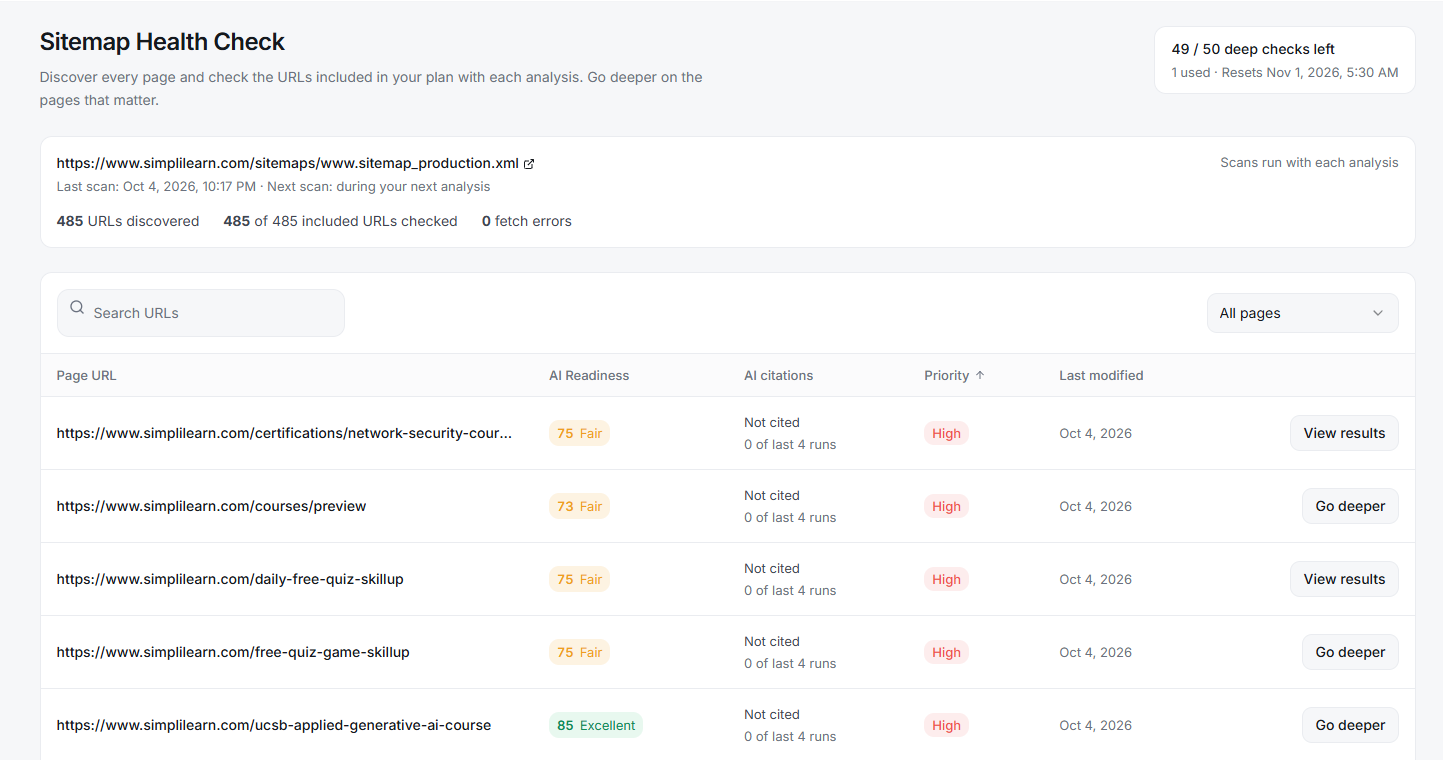
How it works: Every analysis run automatically scans the URLs in your sitemap and checks each page against a set of technical and structural signals: accessibility (page reachability, HTTPS, robots.txt/crawler access, no-index or no-AI tags, login walls), content availability (enough indexable text on the page), on-page signals (title and meta tags, H1 heading, schema/structured data markup, canonical URL), and encoding issues that could break how AI crawlers parse the page.
This gives you a readiness view across your whole site.
From there, you can choose to "go deeper" on specific pages that matter most — this runs a second, deeper scan of that single page's actual content to identify gaps: whether the page clearly defines what the entity/brand is, whether it's clearly anchored to its category, whether the use case is clear, the quality of its summary, and whether terminology is used consistently.
How to use it: Go to the Sitemap tab to see the readiness scan for every page (it reruns automatically with each analysis). Click into any page and select "Go deeper" to run the content-gap scan on it — deep checks are limited per month based on your plan.
Developer API & MCP Connect (Claude, etc.)
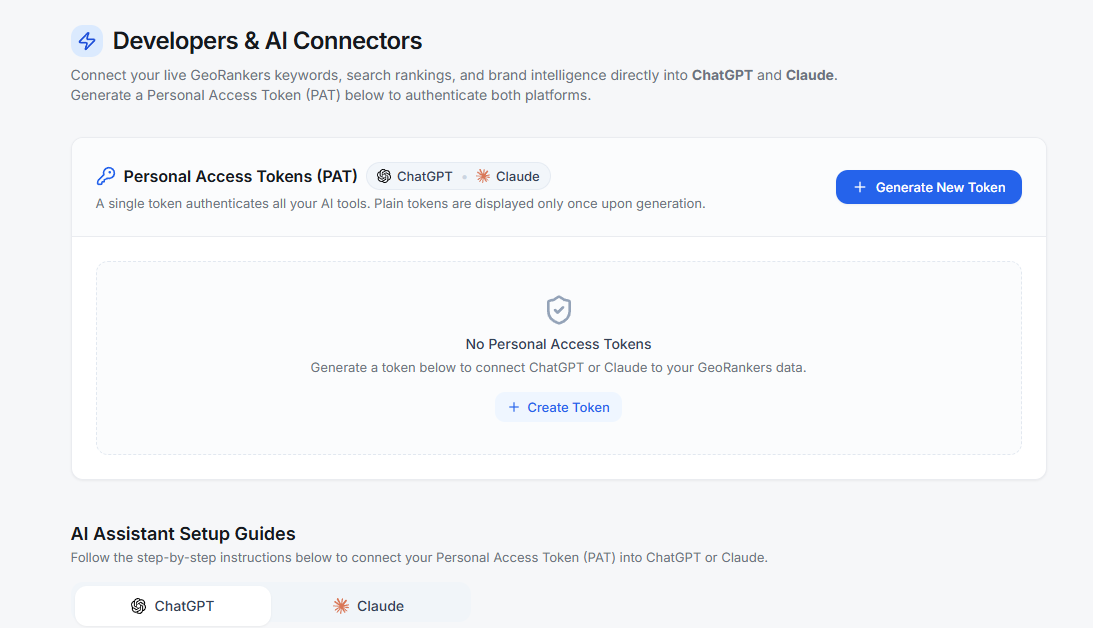
What it is: A way to connect GeoRankers data directly into AI tools like Claude via MCP (Model Context Protocol), using your own API key.
How it works: A secured auth layer issues personal access tokens (PATs) scoped to your account, so external AI agents can query your GeoRankers data without sharing your main credentials.
How to use it: Go to Settings > Developer API, generate a personal access token, and use it to connect GeoRankers to Claude or any other MCP-compatible tool.
Prompt Editing — More Control Over Your Topics
Two separate upgrades give you direct control over the prompts run against your brand, instead of only the ones GeoRankers generates automatically.
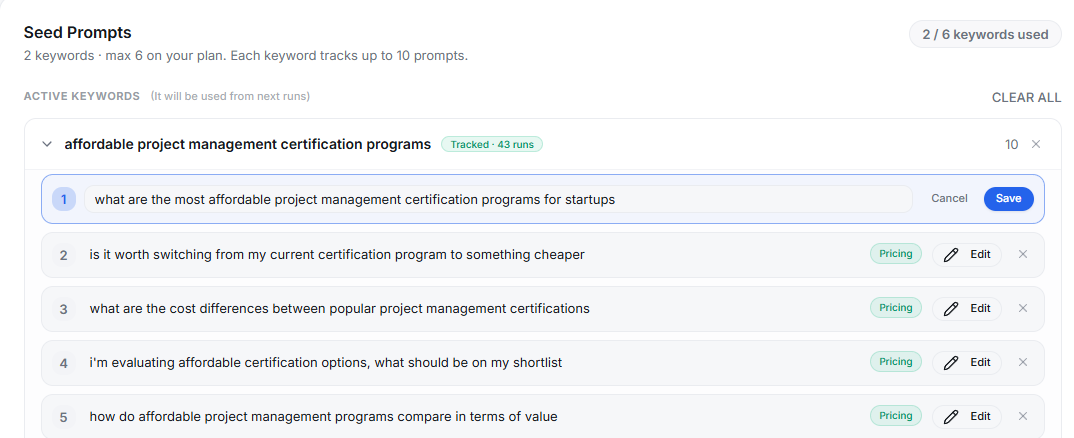
Edit existing prompts within a topic
What it is: The ability to edit the actual wording of prompts GeoRankers already generated for an existing topic.
How it works: Prompts have always been classified into intent types (Discovery, Trust, Pricing, Use Case, Comparison) — that hasn't changed. What's new is you can now open any topic and rewrite its prompts directly, instead of being stuck with the auto-generated wording.
Add your own topic and prompts
What it is: The ability to create an entirely new topic from scratch and supply your own prompts for it.
How it works: You're no longer limited to the topics GeoRankers suggests — you can add a new topic and bring your own set of prompts for it, including uploading them in bulk via CSV.
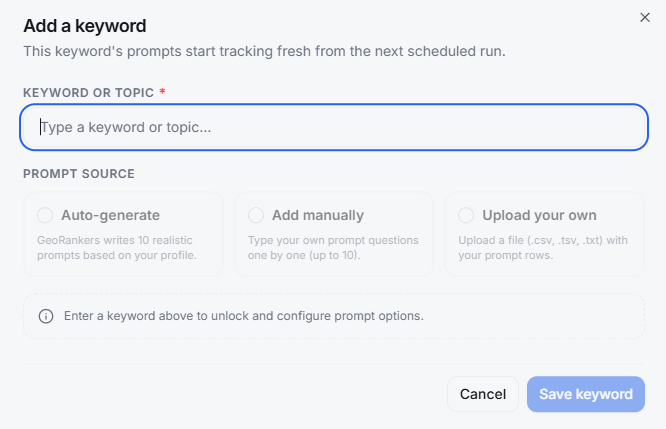
How to use it: Open the Prompts tab, select a topic, and edit any prompt in place — your edits are saved and used in future runs for that topic. Or choose to add a new topic and either type in your own prompts or upload a CSV with your prompt list.
Mobile Responsiveness Overhaul
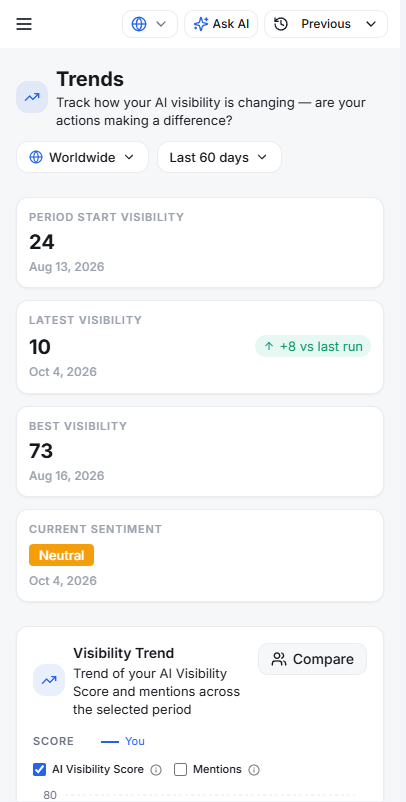
What it is: A full pass to make the dashboard and results pages usable on phones and tablets, not just desktop.
How it works: Tables that used to squeeze or truncate now scroll horizontally, navigation collapses into a proper mobile menu, and pages like Tracking Setup and Team are now readable and usable on small screens.
How to use it: No action needed — just open georankers.ai on your phone or tablet and the layout adapts automatically.
Bug Fixes & Reliability
Prompt Generation
Improved accuracy and consistency of generated prompts, so they better reflect your brand every time.
Chatbot
Suggested questions in the chatbot now load more reliably.
Tracking Prompts on On-Demand Runs
Improved reliability of on-demand analysis runs so your saved tracking prompts stay intact.
Ready to explore these updates?
Dive into your dashboard to start using the latest features and improvements we added to GeoRankers.
Go to Dashboard