November 2026 Product Update
By GeoRankers Team · Updated on November 4, 2026
Here is what we shipped last month. A guided onboarding wizard walks you through your brand, competitors and topics, AI Visibility Score Version 2 gives a more realistic picture, alternate names make sure mentions under a different name still count, and Signal Tracker can now track any URL directly. We also made improvements across team access, reports, the Developer API and the product tour.
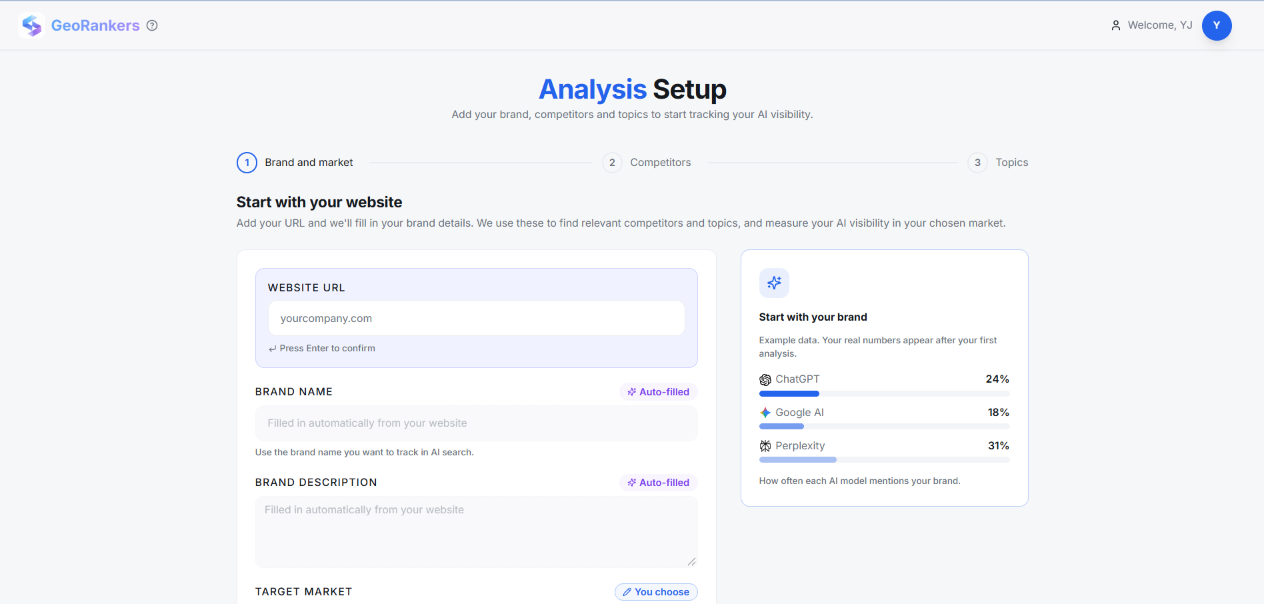
Guided Onboarding Wizard
What it is: Onboarding is now a three-step wizard: brand, then competitors, then topics.
How it works: GeoRankers detects your brand from your website, and you confirm it before moving on. Competitor and topic suggestions arrive pre-filled and ranked by relevance, and you can adjust them or add your own. The website of every competitor you add is checked automatically. The wizard works smoothly on mobile, with clearer guidance and messages at every step.
How to use it: Sign up and enter your website. Confirm the detected brand, review the suggested competitors, then pick your topics.
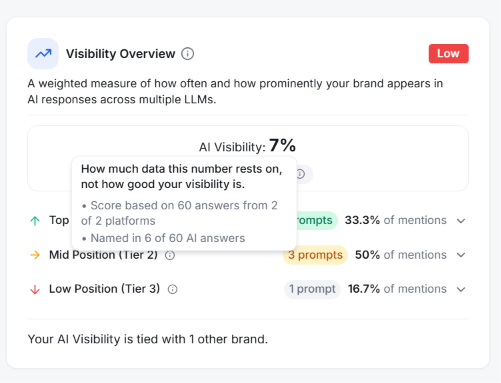
AI Visibility Score: Version 2
What it is: A more accurate AI Visibility Score that gives you a more realistic picture of how visible your brand is in AI answers.
How it works: The score is a weighted measure of two things: how often your brand is mentioned in each AI model's answers, and where it appears within them. Every run is scored the same way, from the answers the AI platforms actually gave, and each brand is scored on its own results, so your numbers stay stable and comparable across competitors. Every score comes with a confidence level, reports show clear mention rates, and the trend chart includes your earlier runs. When your tracked topics change, the trend adds a "Set-up changed" note so you can read every movement in context. The same brand matching is used across email, Recommendations and Content Hub.
How to use it: Open the Overview or Trends page to see your scores, and use the confidence level next to each one to judge how much weight it deserves.
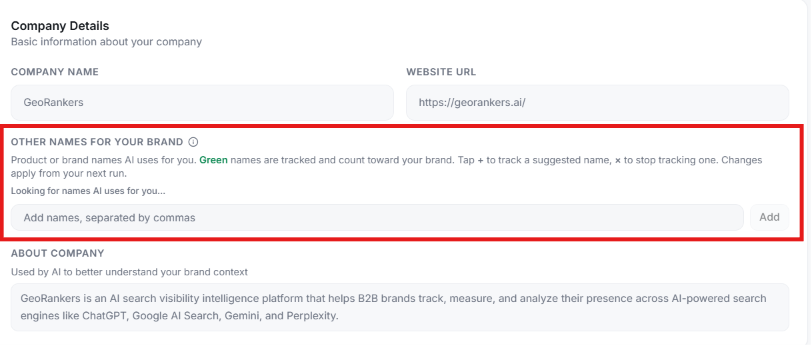
Other Names for Brands and Competitors
What it is: AI models do not always name a brand the way you do. One answer may use your company name, another a product name, a short form or a different spelling. For example, a company called "Acme" might be recommended as "Shieldly", the name of its product.
With Other Names, you tell GeoRankers the other names AI uses for your brand and for each competitor, and every mention under one of those names counts toward that brand's score, mention rate and position. The result is a complete and fair picture of your visibility and your competitors'.
How it works:
- Setting it up. In onboarding, "Other names (optional)" sits under Brand name. In Tracking Set-up, you will find "Other names for your brand" under Company Details and an "Other names for competitors" panel. Type names one at a time or comma-separated, with up to 10 other names per brand.
- Suggestions. Onboarding proposes likely other names from your website, and you choose which to keep. Names that AI used for your brand or a competitor in your latest run are offered too, and a name you remove is not suggested again unless a newer run uses it.
- Accurate matching. A name can belong to only one brand, and names that are too short, too generic or the same as another tracked brand are not accepted. Other names only widen name matching, so a website that hosts several products is never treated as your brand's own.
- When changes apply. Changes count from your next run.
- Seeing what was counted. A "Mentioned as" info icon shows the names AI used and how many answers used each. You will find it on your brand in Brand Mentions and on every brand in Competitive Landscape.
- Trends. If you change your brand's names, the trend shows "Brand names updated" and flags the set-up change, so you always read the lines in context.
Related improvements: Websites that do not exist are ignored and the name is used instead, so mentions are credited accurately. Suggested competitors and topics are saved per product and market, so your first Tracking Set-up shows the same suggestions as onboarding.
How to use it: Open Tracking Set-up, choose your brand or a competitor, and add the other names people and AI use for it, such as a product name, a short name or an alternate spelling.
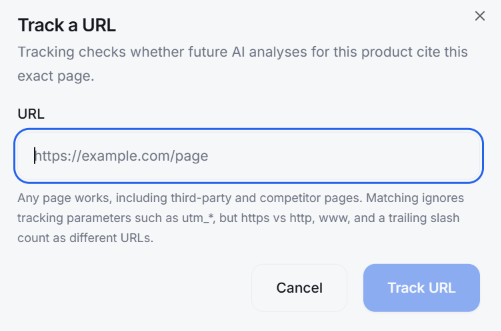
Signal Tracker: Direct URL Tracking
What it is: You can now track any URL directly, without waiting for a recommendation to suggest it.
How it works: Paste a URL and it becomes a tracked signal. Duplicate URLs are rejected, signals can be archived when you no longer need them, and a details sheet shows everything about each one.
How to use it: Open Signal Tracker, add the URL you want to follow, and open its details sheet at any time. Archive the signal when you are done.

More Improvements
Team Access
Invited Editors and Viewers now go straight to their products, and logging in opens the right workspace automatically.
Developer API and MCP
Personal access tokens now offer a "Never expires" option, and the Claude connection instructions use the current MCP URL (/mcp).
Downloaded Reports
Downloaded reports are now more consistent with the Overview page, with cleaner formatting and clearer brand summaries, such as "Scored 42%".
Run Usage
Your remaining on-demand runs always reflect your current allowance.
Product Tour
The product tour is smoother and now also covers Sitemap, Tracking and MCP.
Account Protection
Stronger sign-up and account protection, including blocked disposable email sign-ups and a current-password requirement for password changes.
Smaller Fixes
A sharper brand logo on the results overview and improved source search on the Sources page.
Ready to explore these updates?
Dive into your dashboard to start using the latest features and improvements we added to GeoRankers.
Go to Dashboard